 Parametric Scene Reconstruction: from a raw LiDAR scan to an editable, structured model. (source: Datameister)
TL;DR A laser scan of a building captures millimeter-accurate geometry, but the result is a cloud of points or a mesh. You can look at it, but you can't edit a wall, measure a room, or pull a bill of quantities from it. Construction, BIM, digital-twin, and robotics-simulation workflows all need a model they can work with, and producing that model has stayed slow and manual.
Parametric Scene Reconstruction produces that model directly. The pipeline turns a raw scan into structured walls, floors, and openings you can query and edit in CAD, at roughly 1 cm median accuracy against the captured scan, structure that consumer scan tools like Polycam don't produce at all. The job that has historically taken ~90 hours of manual CAD modeling runs in minutes.
Result: from a scan you can look at to a model you can build on.
Applications: Scan2BIM, as-built documentation, facility and asset management, digital twins, robotics simulation.
Scanning a building is now routine. Point a laser scanner, or even a recent phone, at a site and you get back a precise 3D capture of every surface in minutes. The catch shows up the moment someone has to do something with that capture: renovate the space, run a structural check, hand it to a BIM platform. The capture is accurate, but it is a pile of points with no walls, no rooms, and nothing to grab onto.
This post walks through how we turn that capture into a structured, editable model directly. We start with why the representation is the real bottleneck, then walk through the pipeline, what it makes possible, where it still struggles, and how we handle those cases.
From points to models
What breaks down when you hand a construction engineer a point cloud and ask them to renovate a building? The geometric accuracy is fine. The photorealism of today's sensors and processing is fine. What is missing is structure: the scan has no concept of a wall, a floor, or a room.
An engineer designing a building thinks in parametric primitives. A wall is a rectangular slab defined by its origin, height, width, and thickness. Moving from points to these primitives strips the noise out of a real-world scan and leaves a representation engineers can actually use: structured enough to reason about, accurate enough to trust, and editable enough to design with.
The cost of manual modeling
Modern scanning workflows lean on professional LiDAR scanners like the Leica RTC360, or even phones with a LiDAR sensor, to digitize entire sites at millimeter accuracy. The scan is then converted into a mesh, often colored, to give a representation you can view. The workflow breaks the moment the engineer or architect moves from viewing to editing.
A solid wall comes back as a mesh of thousands of tiny triangles, so moving or extending it is painful. Pulling the total wall area for a bill of quantities out of that mesh is not a one-click operation either.
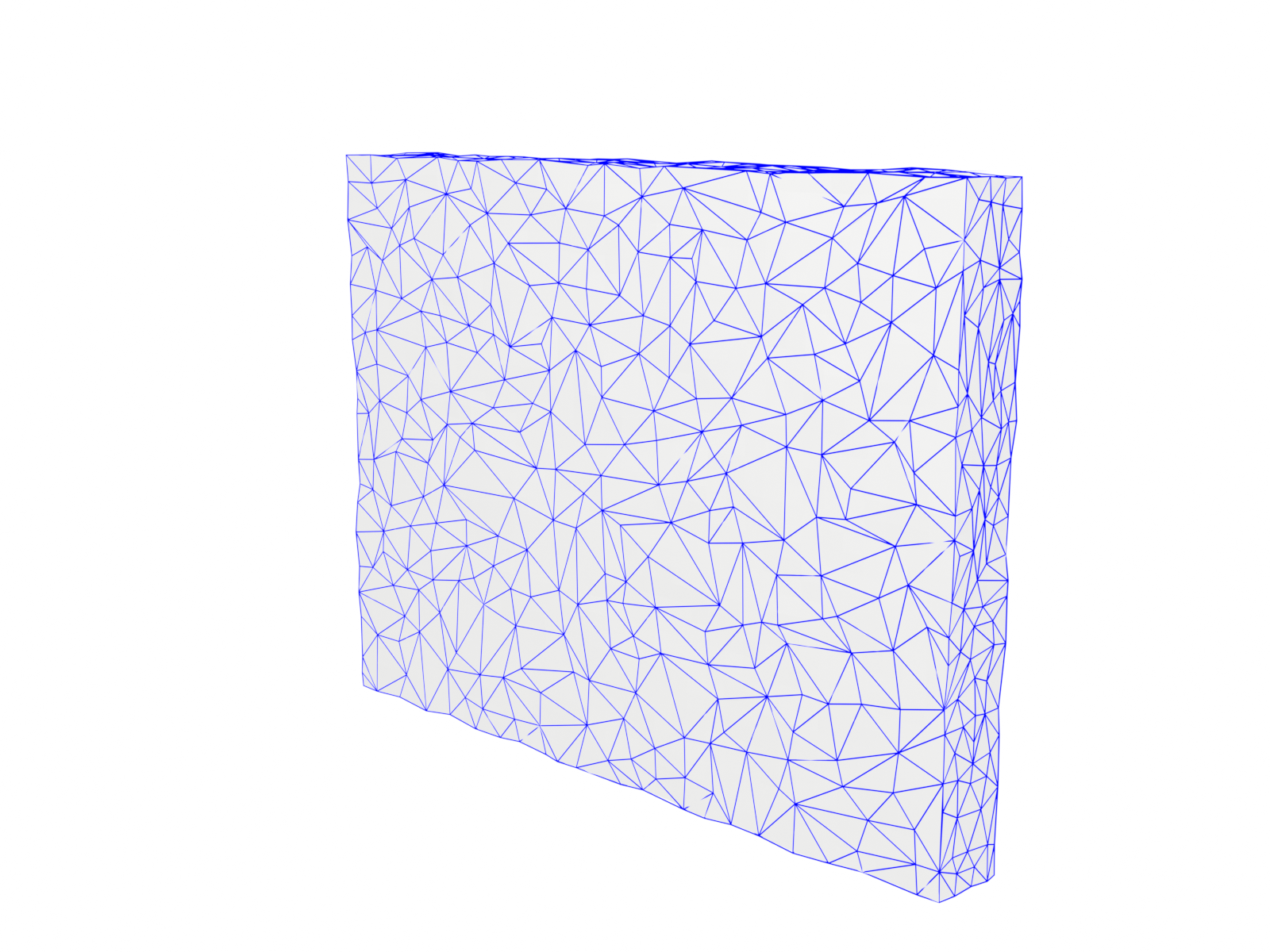 A solid wall as a scan-derived mesh: a high-detail web of connected triangles with no single "wall" to select or move. (source: Datameister)
So engineers fall back on manual CAD modeling and rebuild the scene by hand, placing walls, floors, and doorways one at a time. The efficiency gains from faster scanning stop at modeling, which is still done by hand.
A 2023 study by Song et al. puts a number on this: architects modeled roughly 35,000 m² at Level of Detail 200 (floors, walls, doors, windows, columns, and stairs) from a point cloud. It took 89 hours, about 400 m²/h. Automating that step cuts scan-to-model time from hours to minutes, and the cost from thousands of euros to a fraction of that. So what does it take to turn a raw scan into something an engineer would otherwise build by hand?
From scan to structure
Two families of techniques have tried to answer this. Classical methods like RANSAC plane fitting are fast and geometrically accurate, but they struggle with ambiguity and missing data. Learned models handle those cases better, yet they tend to oversimplify layouts or assume every corner is 90 degrees. Neither alone gives you a geometrically accurate model you can rely on.
 The full pipeline, from sensor input to parametric output. (source: Datameister)
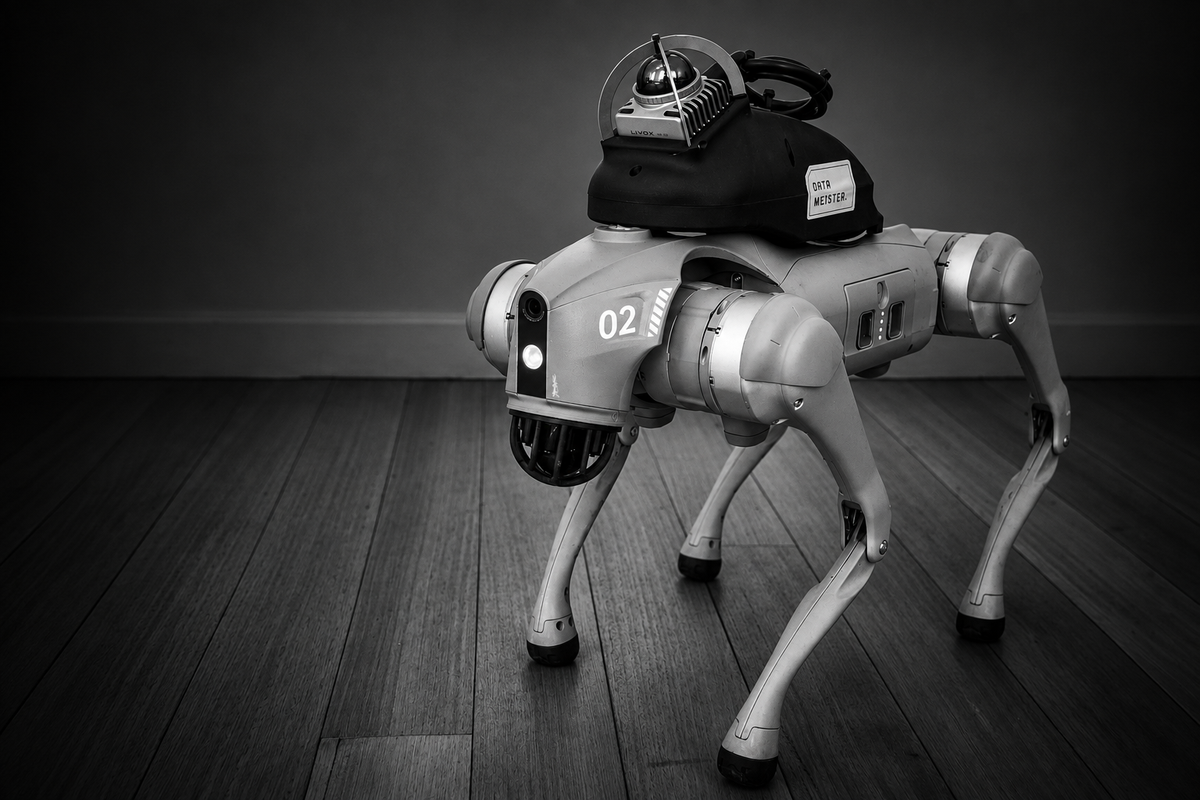
Our parametric scene reconstruction pipeline combines the accuracy of geometric fitting with the robustness of learned models. The figure above shows the full pipeline, starting from a LiDAR sensor input (in our case, a Unitree GO2 with a Livox Mid360). The raw scan first passes through our semantic segmentation pipeline, which labels each point (floor, wall, table, etc.), shown as different colors in the figure. With clutter labeled and separated, the reconstruction focuses on what defines a room: walls and floors. The following three steps describe how this works.
3D to 2D density map projection: We project the 3D point cloud onto a clean 2D density map that reveals the core structure of the floor. This compressed representation is what the subsequent detection model operates on.
Transformer-based layout prediction: A transformer model predicts room layouts from the density map. It handles gaps and density variations well, correctly identifying four rooms across the floor. More complex layouts (the top-left room) and skewed walls (bottom room) aren't predicted correctly at this stage. The animation below shows both steps: the 3D point cloud compressed into a 2D density map, followed by the model's predicted room layout.
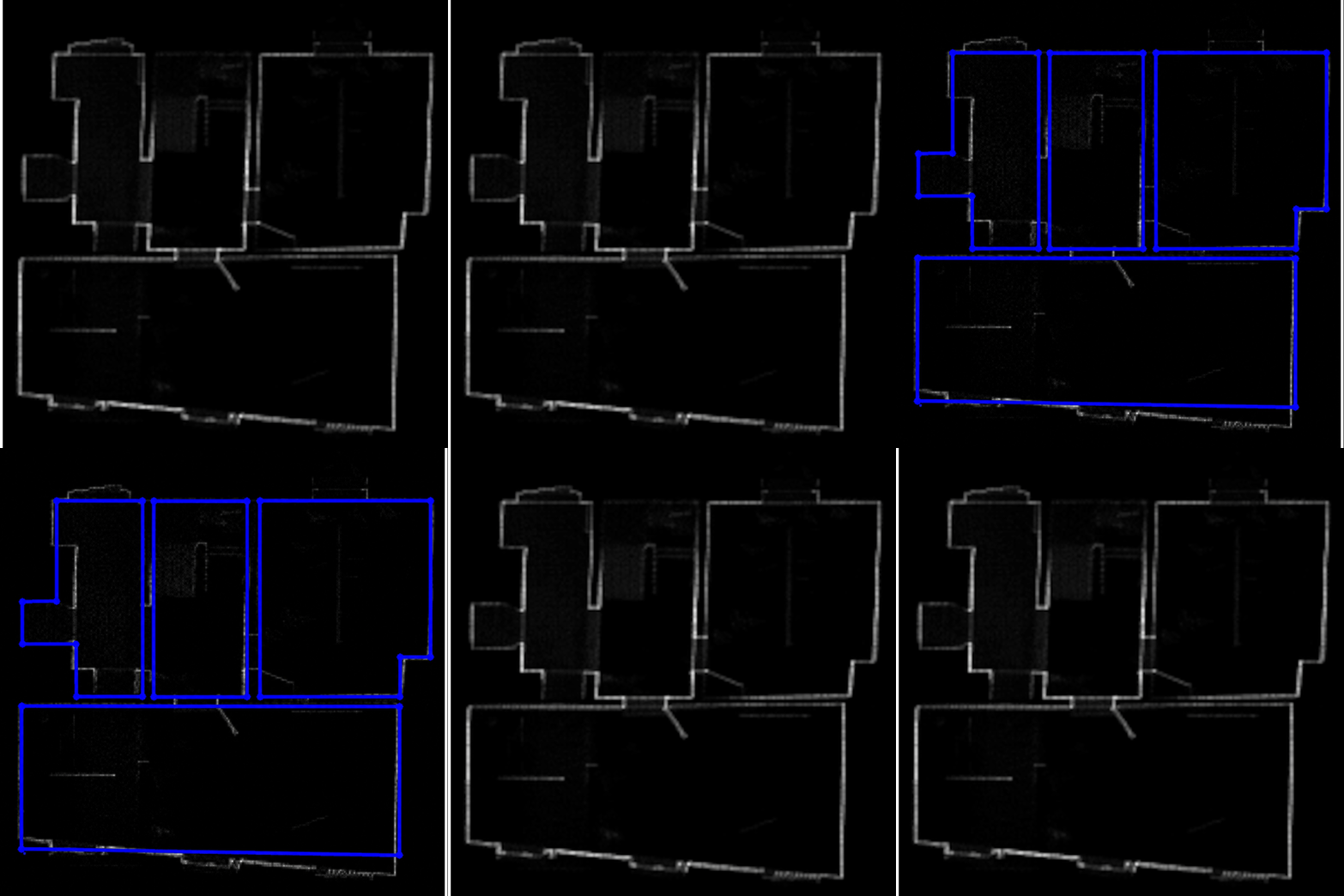 The 3D point cloud is projected to a 2D density map; the transformer model predicts room outlines from the map. (source: Datameister)
3D optimization: An optimization step brings the reconstruction back into 3D. Using the 2D predictions as a robust initialization, the optimizer refines wall positions against the captured point cloud. This consistently improves accuracy, reaching a median of roughly 1 cm between reconstructed walls and the scan.
The animation below visualizes the refinement: predicted walls shift to align with the underlying point cloud geometry. With accurate primitives in hand, the next question is what that reconstruction makes possible.
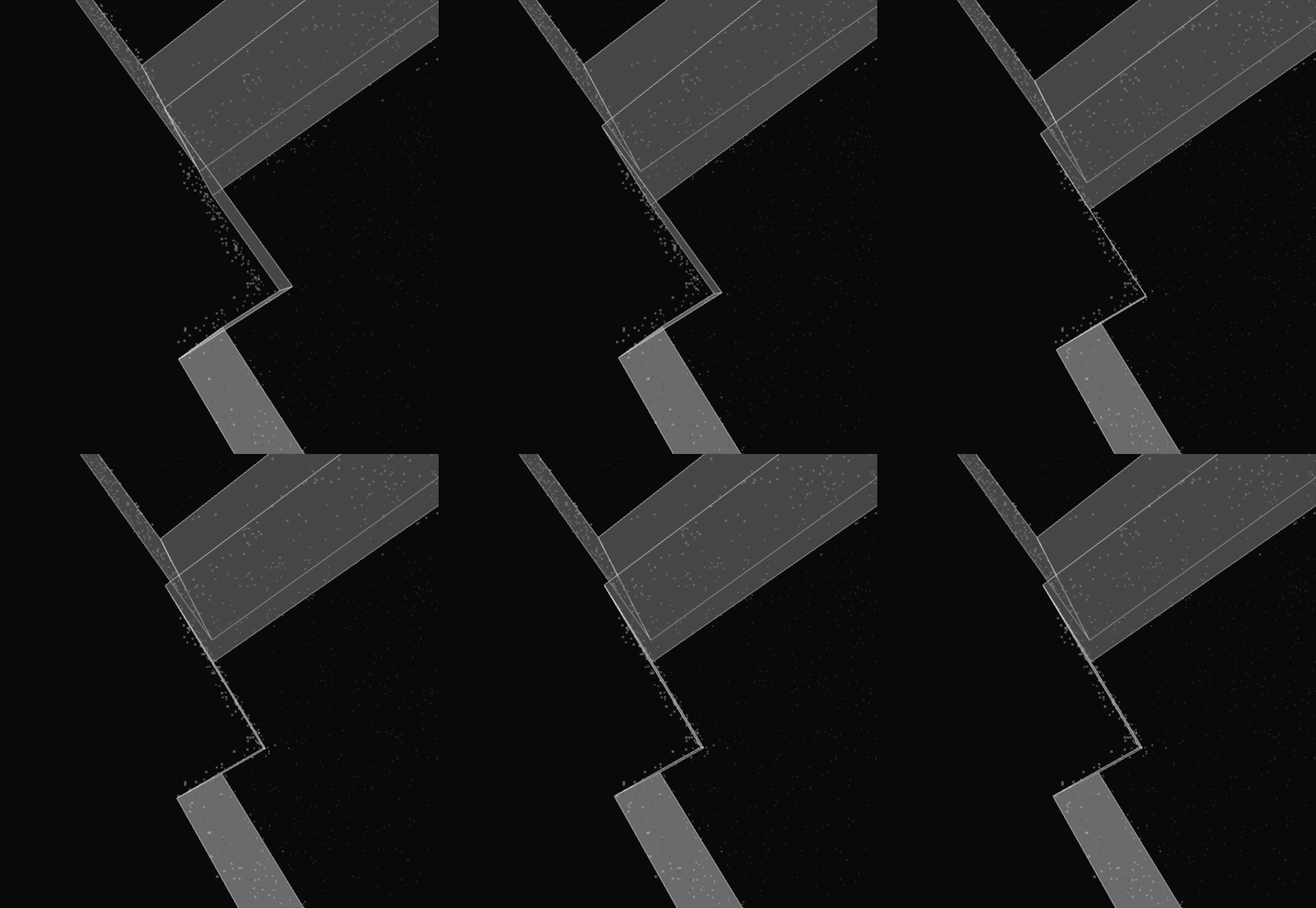 The optimizer refines predicted walls against the captured point cloud, reaching ~1 cm median accuracy. (source: Datameister)
What a parametric scene unlocks
The animation below shows the final result of our pipeline, starting from a raw point cloud, and shows two things a point cloud or mesh simply cannot offer.
Structured querying: The number of rooms, the area of each wall, a full bill of quantities are all retrieved directly from the model, end-to-end, without a single human annotation. What used to require manually tagging and measuring is available the moment the pipeline finishes.
Native editing: Because CAD software understands these primitives, moving a wall behaves exactly as you'd expect: connected surfaces follow automatically and derived metrics update in real time. Engineers can work with the model the same way they would if they had built it by hand, whether it ends up in a BIM workflow or a digital twin.
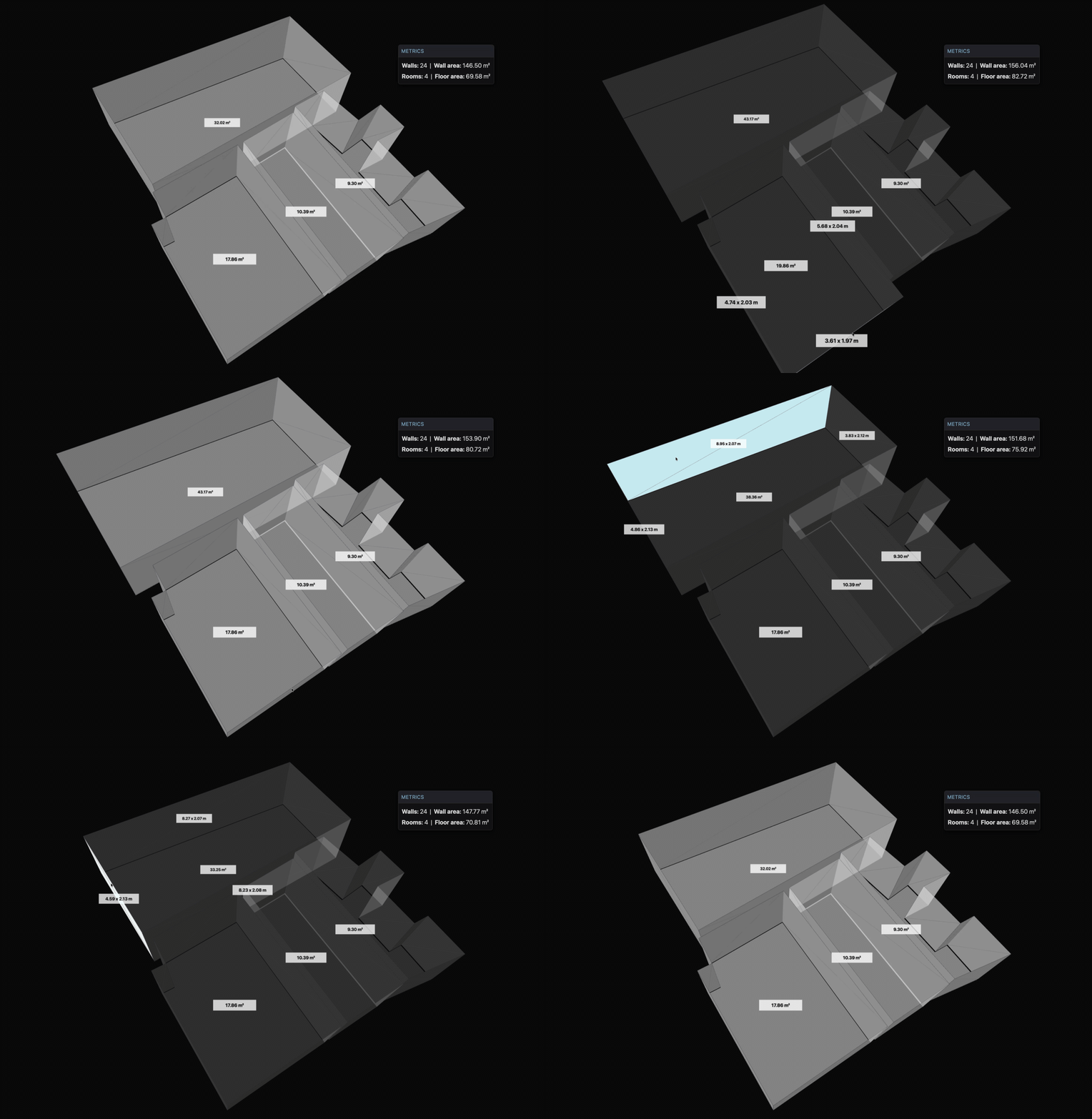 Native CAD editing on the reconstructed scene: moving a wall updates connected surfaces and derived metrics in real time. (source: Datameister)
In contrast, the figure below shows the output from Polycam: a mesh of 44,000 triangular faces with no concept of "wall," "floor," or "room." Asking "what is the total wall area on this floor?" returns nothing. Moving a wall means dragging individual triangles. That is the gap parametric reconstruction closes. Achieving this on real-world scans, however, comes with its own set of challenges.
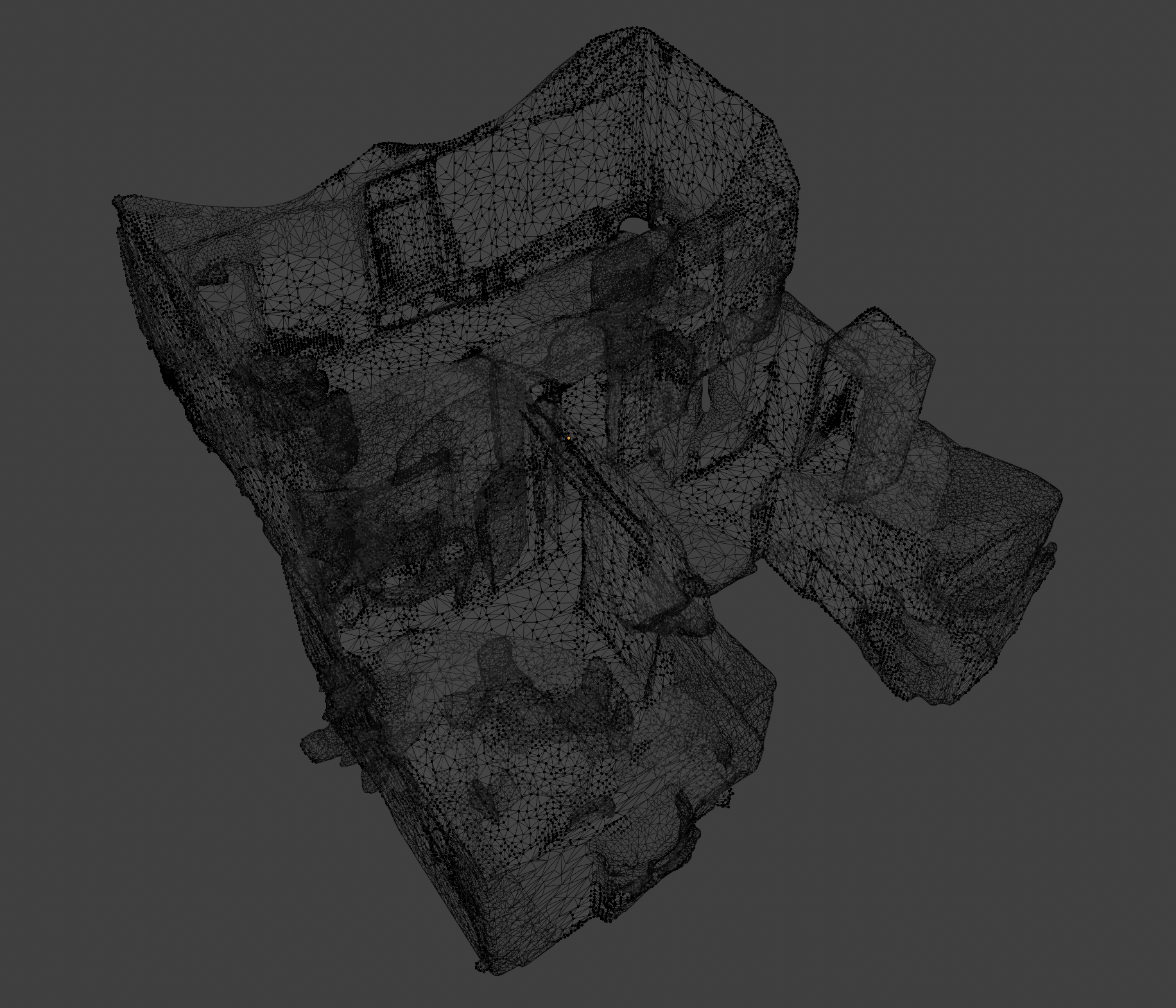 A Polycam-generated mesh of the same floor: 44,000 triangles, zero concept of "wall." (Polycam output, captured by Datameister)
Where reconstruction gets hard
Controlled datasets have clean geometry, complete scans, and mostly rectangular rooms. Real buildings don't. Three challenges come up consistently when moving from training data to real environments, and each required a different strategy.
The Manhattan assumption: Most room layout models assume a Manhattan world where all walls meet at right angles. Construction projects especially need accurate geometry, since structural assessments and renovation plans depend on it. The example below shows the trained model snapping wall angles to 90 degrees. Our subsequent optimization step corrects this by fitting predicted walls to the captured point cloud directly, so the reconstruction follows the actual geometry rather than defaulting to right angles.
Exotic room layouts: Not every room is rectangular or L-shaped. When a room has an unusual footprint with extra corners or angled walls, the model tends to simplify it. The top-right room in the figure below shows a case where the actual layout has more complexity than the model predicts. We've improved handling of these cases, but rooms with highly irregular shapes still require manual refinement in some cases. This is an active area of improvement.
Clutter: Furniture, stairs, cabinets, and other objects add noise to the 2D density map from which we extract room boundaries. Floor and wall labels from our semantic segmentation pipeline filter out most of this noise before reconstruction begins, giving the model a much cleaner signal.
Geometric accuracy is non-negotiable when construction plans depend on the output. A floor plan that quietly snaps an angled wall to 90 degrees might look clean, but it introduces errors that propagate downstream through your workflow.
This is exactly where consumer-grade reconstruction tools fall short. Apps like Polycam, SiteScape, and RoomScan Pro LiDAR likely use Apple's RoomPlan API under the hood, so they share the same fundamental limitations. The figures below illustrate this: the top room's angled wall is preserved in our reconstruction, while RoomPlan simplifies it to a rectangle even though the mesh has this information. Our reconstruction isn't perfect yet, but it preserves the actual room geometry rather than forcing it into assumptions.
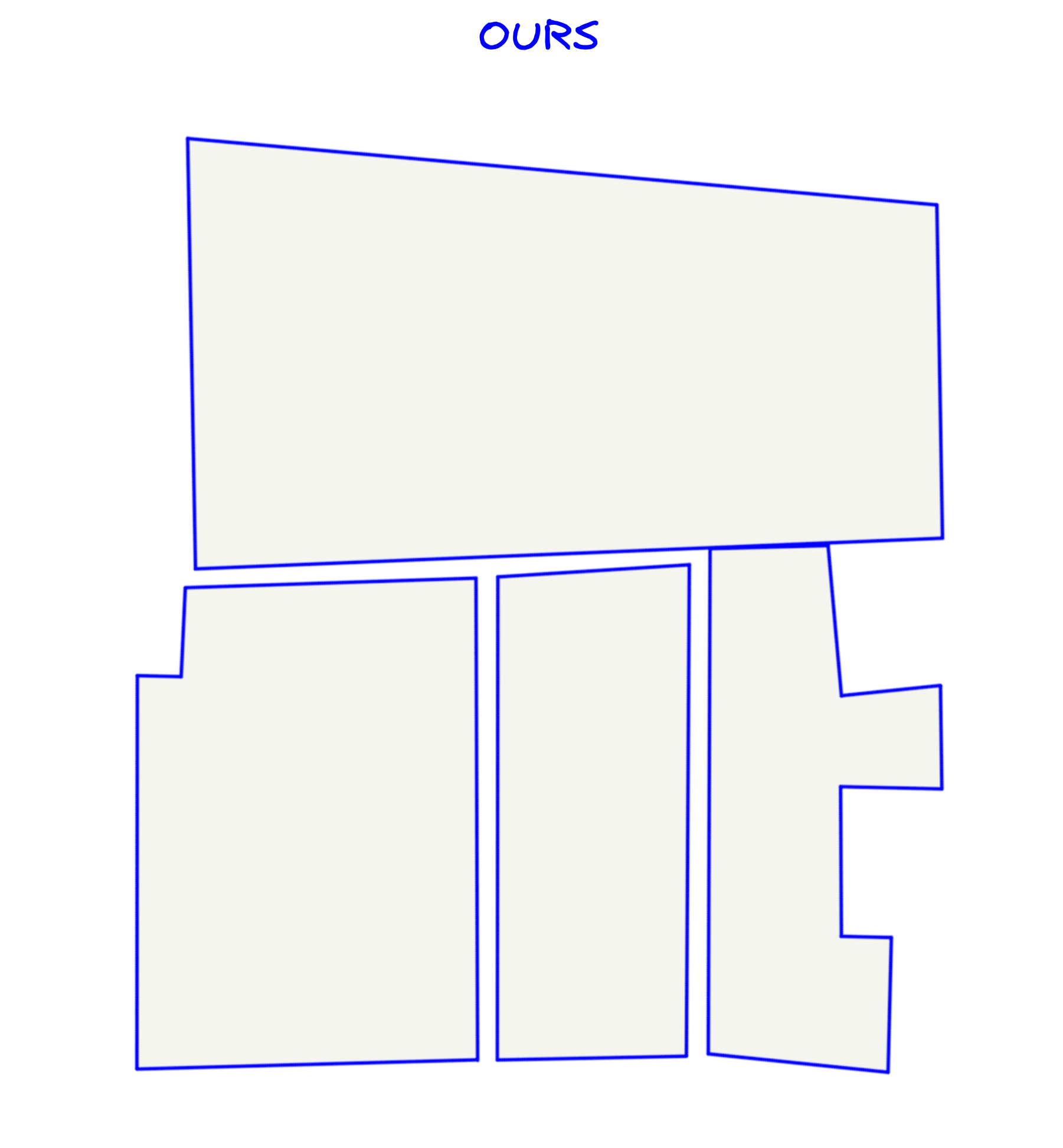 Our parametric reconstruction preserves the actual room geometry, including the angled wall. (source: Datameister)
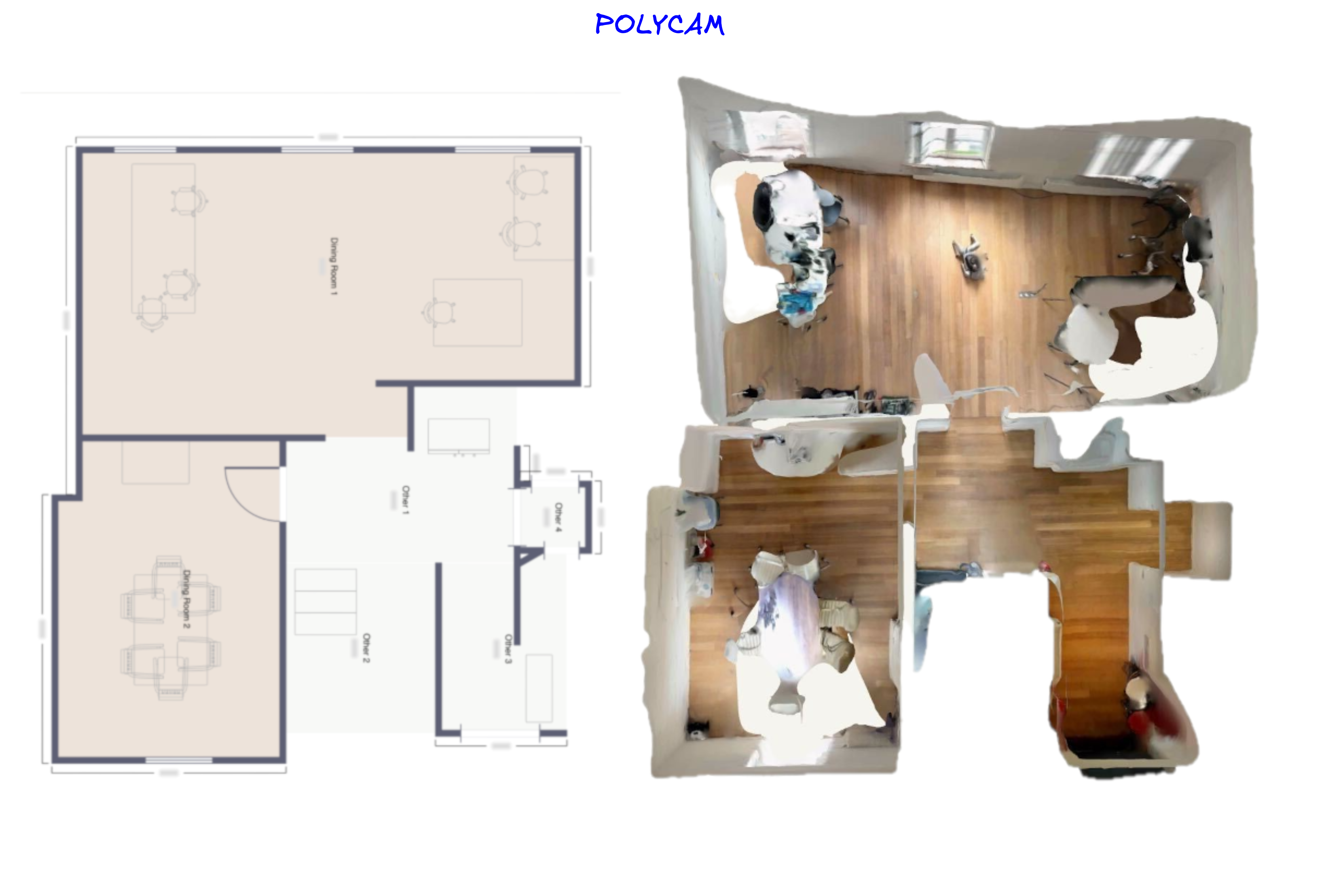 Apple RoomPlan output of the same floor: the angled wall is snapped to a rectangle. (source: Polycam, using the Apple RoomPlan API)
Conclusion
Capturing a building is now fast and accurate. Sensors and processing have matured. The expensive step has been turning that capture into a model an engineer can use, and that is the step our parametric scene reconstruction pipeline automates: structured, editable models straight from the scan, in minutes instead of hours of manual CAD work.
That faster loop compounds. Faster scan-to-model means more iterations per project, which lets engineers explore options that manual modeling priced out, which raises the quality of the as-built models clients build on. If you're a construction firm, BIM platform, or digital-twin provider still manually remodeling scanned spaces, reach out. We'd love to show you what's already possible.